.svg)
Updated: April 17, 2026
Overview
The Orders tab provides a centralized view of all your purchases. It allows you to track completed orders, review what was included, and understand the breakdown of purchased data.
Accessing Orders
Navigate to Orders from the navigation menu.
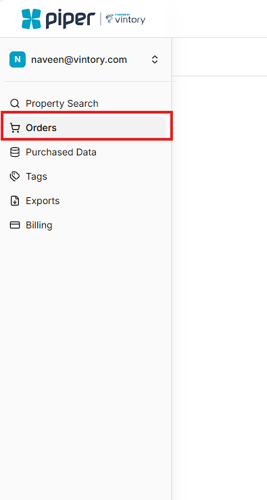
Here, you’ll see a list of all your completed and processed orders.
Understanding Your Orders
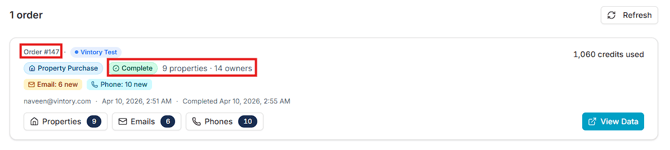
Each order includes a summary of what was purchased, such as:
- Order Number – Unique identifier for each purchase
- Status – Indicates whether the order is complete
- Properties Purchased – Total number of properties included
- Owners Included – Number of associated property owners
Viewing Order Details

Click on a specific order to view a detailed breakdown. This includes:
- The list of properties purchased
- Available contact data (e.g., emails and phone numbers)
Summary
The Orders tab helps you:
- Keep track of all your purchases
- Review order details and included data
- Stay organized with a clear breakdown of properties and owners